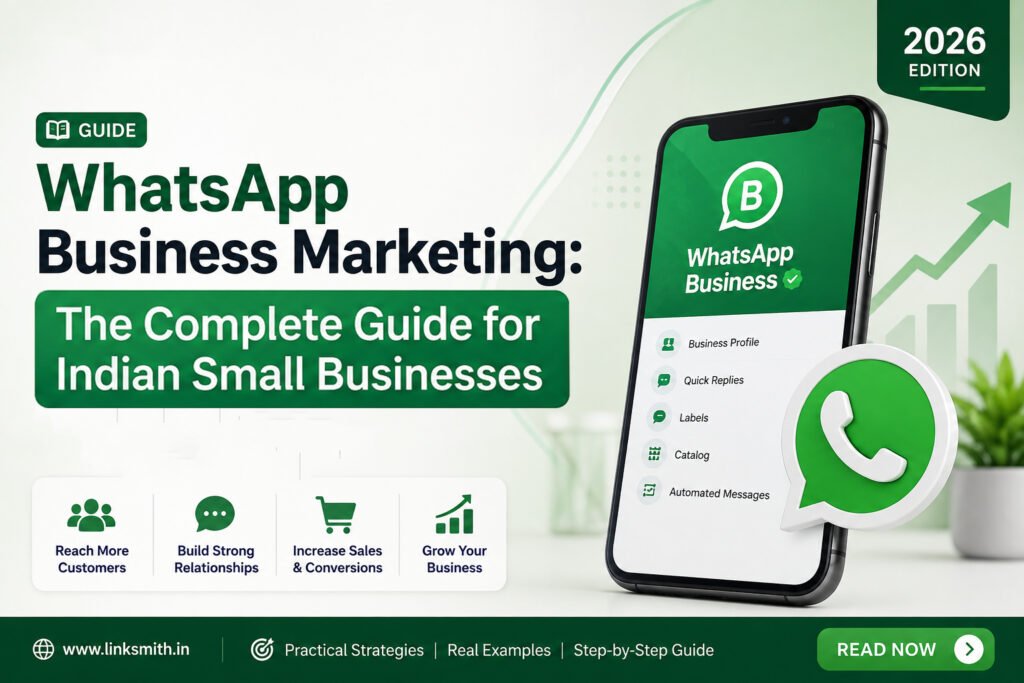
If you’re running a small business in India, you already use WhatsApp — for order confirmations, for customer questions, maybe for that one salesperson who WhatsApps every lead a good morning message. The problem is most businesses are using it like a personal chat app, not a marketing channel. That’s leaving a huge amount of revenue on the table.
India now has the largest WhatsApp user base of any country in the world, with well over 500 million active users. Combine that with open rates that regularly hit 98% (compare that to email’s 20% or SMS’s 90%), and you have the single most attention-dense channel available to Indian businesses today. Yet most small businesses are only using a fraction of what’s actually possible — a catalog nobody’s set up, no broadcast strategy, zero automation, and no idea that WhatsApp ads even exist.
This guide walks through exactly how to turn WhatsApp from a support inbox into a genuine growth channel: catalog setup, broadcast lists done the right way, automation and chatbots, and Click-to-WhatsApp ads — the fastest-growing paid acquisition format in India right now.
- Why WhatsApp Marketing Matters for Indian Businesses in 2026
- WhatsApp Business App vs. WhatsApp Business API: Which One Do You Need?
- Setting Up Your WhatsApp Catalog
- Broadcast Lists: How to Use Them Without Getting Blocked
- Automation and Chatbots: Where the Real Time Savings Are
- Click-to-WhatsApp Ads: The Fastest-Growing Paid Channel in India
- Common Mistakes Small Businesses Make on WhatsApp
- Frequently Asked Questions
- Where WhatsApp Fits in Your Broader Growth Strategy
Why WhatsApp Marketing Matters for Indian Businesses in 2026
A few things have converged to make this the moment to get serious about WhatsApp:
- Conversational commerce is now the default, not the exception. Indian consumers overwhelmingly prefer talking to a business before they buy, especially for considered purchases — real estate, education, healthcare, high-ticket products, and local services. A chat window converts better than a contact form because it removes friction and adds a human on the other end.
- The infrastructure has matured. Meta retired the old on-premise WhatsApp Business API in October 2025, moving every serious business onto the Cloud API. That means catalog browsing, automated flows, multi-agent inboxes, and CRM integrations are no longer “enterprise-only” — they’re accessible to small businesses through affordable local providers.
- Paid acquisition costs are dropping. Click-to-WhatsApp ads are consistently delivering some of the lowest costs per lead of any digital channel in India right now, because there’s no landing page, no form fill, and no drop-off between the ad click and the conversation starting.
- Compliance has tightened. TRAI’s messaging regulations and the DPDP Act mean unsolicited bulk WhatsApp messaging carries real risk in 2026. Businesses that get consent and structure right will have a durable channel; those that don’t will get their numbers blocked.
Put together: WhatsApp in 2026 is where SEO was around 2015 — genuinely underused by small businesses, high-intent, and still cheap to get right if you move now.
WhatsApp Business App vs. WhatsApp Business API: Which One Do You Need?
This is the first decision point, and most small businesses get it wrong in one direction or the other — either overpaying for API tools they don’t need yet, or staying stuck on the free app long after they’ve outgrown it.
Use the free WhatsApp Business App if:
- You’re a solo owner or very small team handling messages on one phone
- Your broadcast lists are under 256 contacts
- You don’t need multiple people replying from the same number
- You’re validating demand before investing in tooling
Move to the WhatsApp Business API if:
- You have more than one person who needs to reply to customers
- You’re sending more than roughly 500 messages a month
- You want automated replies, chatbot flows, or order/appointment reminders
- You want to run Click-to-WhatsApp ads at any real scale
- You need a shared inbox so leads don’t get lost when a team member is busy or offline
The API isn’t free — you’ll pay a monthly platform fee to a Meta-approved provider (a “BSP,” or Business Solution Provider) on top of Meta’s own per-conversation charges. But for a business generating even a modest volume of leads through ads or their website, the ROI case is usually clear within the first month, because the alternative is leads sitting unanswered on a single owner’s phone.
Setting Up Your WhatsApp Catalog
The catalog feature is one of the most underused tools on WhatsApp for Indian small businesses — and it costs nothing extra if you’re already on the Business App or API.
What a catalog does: it lets a customer browse your products or services, see prices and photos, and in many cases complete a purchase — all inside the same chat thread they’re already in. No redirect to a website, no separate app.
How to set it up:
- Open WhatsApp Business (App or your API provider’s dashboard) and go to your Business Tools or Catalog section
- Add each product or service with a clear photo, a short description, and a price (even for services — “Website Audit — starting ₹X” works well)
- Organize items into collections if you offer more than a handful of things (by category, by price tier, or by service line)
- Enable “Cart” if you want customers to be able to select multiple items and send you an order in one message
- Link your catalog to your Facebook and Instagram Shop if you run ads or organic content on those platforms, so browsers can move straight into a WhatsApp conversation
For service businesses — which describes most of Linksmith’s clients — the catalog works less like a shop and more like a menu of engagement points: “Free Growth Audit,” “SEO Package,” “Website Development,” each with a short description that nudges the prospect toward starting a conversation.
Broadcast Lists: How to Use Them Without Getting Blocked
Broadcast lists let you send one message to many customers at once — but they’re the single most common way small businesses get their WhatsApp number restricted or banned. The 2025 TRAI amendments and the DPDP Act have made explicit, verifiable consent a legal requirement for marketing messages in India, not just a best practice.
Rules that actually protect your number:
- Only message people who’ve opted in. A customer messaging you first, filling a form, or checking out counts. A phone number you scraped or bought does not.
- Always include an opt-out. Something as simple as “Reply STOP to unsubscribe” in your marketing messages keeps you compliant and keeps your quality rating healthy.
- Segment your lists. A broadcast to “all customers” performs worse and gets reported more than a broadcast to “customers who bought X in the last 90 days.” Segmentation by purchase history, location, or engagement level is where the real lift comes from.
- Respect the conversation window. Under Meta’s pricing model, replying to a customer within 24 hours of their last message is a free “service” conversation. Sending them something new outside that window is a paid “marketing” conversation and needs a pre-approved template.
- Watch your quality rating. Meta tracks block rates, opt-outs, and complaint rates per number. A dropping quality rating throttles your reach before it eventually restricts your account — so treat broadcast frequency and relevance as seriously as you would email deliverability.
A good rule of thumb for small businesses: no more than one or two broadcast sends a week, and every single one should be something the recipient would genuinely want — a real offer, a real update, a real reason to open it.
Automation and Chatbots: Where the Real Time Savings Are
This is the piece most small businesses skip entirely, and it’s the piece with the fastest payback. A basic chatbot flow doesn’t need to be sophisticated to save hours a week and stop leads from going cold overnight.
High-value automations for small businesses:
- Instant welcome reply — the moment someone messages you, an automated reply confirms you’ve received it and sets expectations (“We reply within 30 minutes during business hours”)
- Lead qualification — a short menu of buttons (budget range, timeline, service needed) before a human ever gets involved, so your team only spends time on qualified conversations
- Appointment booking and reminders — especially valuable for clinics, salons, consultants, and coaching businesses, cutting no-shows significantly
- Abandoned cart recovery — for anyone selling through a WhatsApp catalog or linked online store, a gentle nudge after a cart is left idle
- FAQ deflection — pricing, hours, location, and other repeat questions answered instantly, freeing your team for conversations that actually need a human
- Order and status updates — shipping confirmations, delivery updates, or project status pings that build trust without anyone having to type them manually
None of this requires an engineering team. Most WhatsApp API providers now offer no-code, drag-and-drop flow builders specifically so small businesses can set these up themselves or with light agency support. The businesses that get the most out of this aren’t the most technical — they’re the ones who map out their actual customer journey first and automate the repetitive 80%, while keeping a human in the loop for anything that needs judgment or a sales conversation.
Click-to-WhatsApp Ads: The Fastest-Growing Paid Channel in India
If you’re already running Google Ads or Meta Ads, Click-to-WhatsApp Ads (CTWA) deserve a serious look — and if you’ve read our SEO vs Google Ads comparison, think of this as a third lane worth testing alongside both.
How it works: it’s a standard Facebook or Instagram ad, except the call-to-action button opens a WhatsApp conversation instead of sending the user to a landing page or a lead form. There’s no page to load, no form to fill, no extra step — the user taps once and lands in a chat with your business.
Why it performs so well in India specifically:
- Indian consumers consistently prefer a conversation over filling out a form, particularly for services, real estate, education, and anything with a real decision behind it
- The friction removal is dramatic — a landing page needs a page load, a scroll, and a form submit; WhatsApp needs one tap
- Meta waives conversation fees for 72 hours after someone clicks the ad and messages you, so that opening conversation and any follow-up within that window costs nothing beyond the ad spend itself
- You get a verified phone number instantly, with none of the fake-email or role-account spam that plagues form-based lead gen
Setting up a basic CTWA campaign:
- In Meta Ads Manager, choose the “WhatsApp” or messaging destination when creating your campaign objective
- Connect the WhatsApp number you want conversations routed to
- Write ad copy that’s specific and benefit-led rather than generic — “Get our Dombivali service pricing instantly” outperforms “Contact us today”
- Set a pre-filled opening message unique to each ad. This is the step almost everyone skips, and it’s the one that lets you actually tell which ad drove which conversation
- Route different ads into different chatbot flows if you’re promoting different services — a lead from an SEO-focused ad shouldn’t get a generic welcome message meant for web design enquiries
- Respond fast. Meta treats response speed as a quality signal, and Indian benchmark data shows conversion rates drop sharply once response time crosses the five-minute mark
- Build a follow-up sequence for leads who message but don’t convert immediately — most businesses stop following up after 24 hours and lose leads that would have converted on day 3 or 7
The ad spend itself is billed the normal way through Meta’s auction (CPC/CPM), so there’s no unusual cost to test this. What changes is what happens after the click — and that’s where most of the performance gain comes from.
Common Mistakes Small Businesses Make on WhatsApp
Treating it as a broadcast megaphone, not a conversation channel. Businesses that blast generic offers to everyone see rising opt-outs and falling quality ratings. Businesses that segment and personalize see the opposite.
No opt-out, no consent trail. Beyond the compliance risk, this is simply what gets numbers blocked fastest.
Letting leads sit unanswered overnight. WhatsApp creates an expectation of near-instant response. A lead that messages at 9pm and gets a reply at 11am the next day has often already gone elsewhere.
Running Click-to-WhatsApp ads with no automation behind them. The ad works, the lead messages in, and then nobody’s watching the inbox. Pair every CTWA campaign with at least a basic automated first response.
Ignoring the catalog. Even service businesses benefit from a simple, browsable list of offerings inside the chat — it shortens the path from “interested” to “ready to talk.”
One generic flow for every ad or channel. Different sources deserve different opening messages and different qualification questions.
Frequently Asked Questions
Where WhatsApp Fits in Your Broader Growth Strategy
WhatsApp marketing doesn’t replace SEO, Google Ads, or Meta Ads — it’s the conversational layer that sits on top of them. Someone finds you through an organic search result or a Meta ad, and WhatsApp is often where the actual conversation — and the actual sale — happens. If you’re running paid campaigns without a WhatsApp strategy behind them, you’re very likely paying for clicks that convert at a fraction of what they could.
At Linksmith, WhatsApp automation and Click-to-WhatsApp ad setup fall under our AI Automation and Paid Advertising services — we build the catalog, the chatbot flows, and the ad campaigns as one connected system rather than three disconnected tools. If you want a second pair of eyes on your current WhatsApp setup, book a free strategy call.